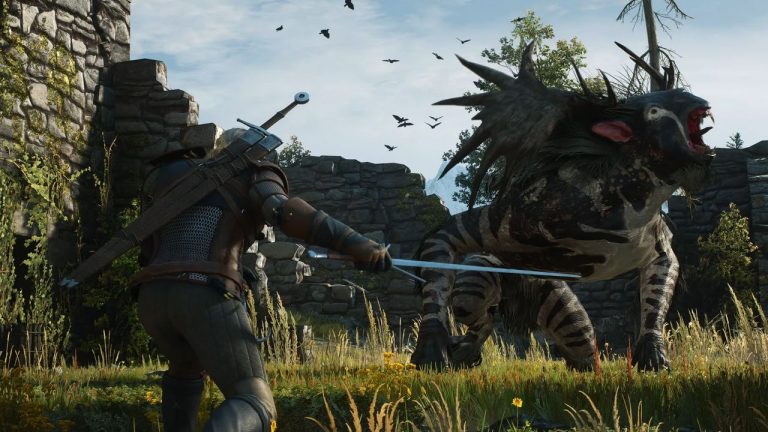

The development team behind DragonSword: Awakening has officially acknowledged a significant technical issue affecting players with certain graphics card and driver combinations. The crash, triggered by a Direct3D 12 (D3D12) error, has been preventing numerous players from launching or enjoying the game since its release. The team has issued a public statement confirming their awareness of the problem and has provided a temporary workaround while they develop a permanent solution.
Understanding the D3D12 Error and Its Impact on Players
Direct3D 12, commonly known as D3D12 or DX12, is Microsoft’s latest low-level graphics API that allows games to communicate directly with graphics hardware. While D3D12 offers significant performance improvements and better CPU utilization compared to its predecessor DirectX 11, it also requires more precise driver implementations from GPU manufacturers. This increased complexity means that certain combinations of graphics cards and driver versions can produce unexpected crashes, particularly in newly released titles that haven’t had extensive testing across all hardware configurations.
The issue affecting DragonSword: Awakening appears to be related to how the game’s rendering engine interacts with specific GPU architectures or outdated driver versions. Players affected by this crash typically see the game freeze or close unexpectedly during launch or gameplay, often accompanied by an error message referencing D3D12. This type of compatibility problem is not uncommon in the gaming industry, particularly for titles utilizing cutting-edge graphics technologies. Both NVIDIA and AMD regularly release driver updates specifically to address game compatibility issues, though the responsibility often falls on developers to optimize their code for broader hardware support.
Official Workaround: Switching to DirectX 11 Mode
Until the development team can deploy a permanent fix, they have provided affected players with a straightforward workaround that forces the game to run using DirectX 11 instead of DirectX 12. The process involves accessing the game’s properties through Steam’s library interface. Players need to right-click on DragonSword: Awakening in their Steam library, select Properties from the context menu, and locate the Launch Options field. By entering the command “-dx11” in this field, the game will bypass its default D3D12 renderer and utilize the older but more widely compatible DirectX 11 API.
While running in DirectX 11 mode may result in slightly reduced performance or visual quality compared to the full D3D12 implementation, most players should still be able to enjoy the game without significant drawbacks. DirectX 11 has been the industry standard for over a decade and maintains excellent compatibility across virtually all modern graphics cards. This workaround effectively allows players to continue their adventures in DragonSword: Awakening while the development team works on addressing the root cause of the D3D12 compatibility issues.
Industry Context and Developer Response
Graphics API compatibility issues have plagued the gaming industry for years, with the transition from DirectX 11 to DirectX 12 proving particularly challenging for many studios. Major titles from large publishers have similarly experienced D3D12-related crashes at launch, requiring post-release patches to resolve. The complexity arises from the vast number of possible hardware and software combinations in the PC gaming ecosystem, making comprehensive pre-release testing extremely difficult. Factors such as driver versions, Windows updates, background applications, and even BIOS settings can all influence how a game interacts with graphics hardware.
The DragonSword: Awakening team’s transparent communication about the issue demonstrates a commitment to player satisfaction that is increasingly expected in today’s gaming landscape. By quickly acknowledging the problem and providing a functional workaround, the developers have given affected players a way to enjoy their purchase while waiting for a comprehensive fix. The team has indicated that an official fix schedule will be announced separately, suggesting they are actively investigating the issue and working toward a permanent solution. Their apology for the inconvenience and promise to deploy a fix as soon as possible reflects an understanding of player frustrations and a dedication to resolving technical problems promptly.
Expert Opinion: D3D12 compatibility issues typically stem from driver-level implementation differences or missing feature support on certain GPU architectures. Given the team’s quick response and established workaround, we can expect a patch within the coming weeks that either implements better fallback handling or addresses specific driver incompatibilities. Players should also ensure their graphics drivers are updated to the latest versions, as GPU manufacturers frequently release hotfixes for newly launched titles.